

Category: Programmation
Oct 13 2020
RaspberryPi 1280×1024 resolution in dietpi

Edit the config.txt file on the sdcardnano /DietPi/config.txt and change the appropriate lines to be:
Sep 15 2020
How to convert mp4 video files to mp3 audio

Extraire la piste audio d’une vidéo MP4 et la convertir en MP3 avec ffmpeg — en une ligne, pour un fichier ou pour tout un dossier. Un seul fichier Tous les MP4 d’un dossier Explication des paramètres -acodec libmp3lame — utilise l’encodeur LAME pour produire du MP3. -q:a 2 — qualité variable (VBR). Échelle de …
Nov 30 2016
Fonction puissance pour Snap! BYOB4

J’ai trouvé bizarre qu’il manque une fonction puissance dans Snap! BYOB4. J’ai donc réalisé la mienne (le nouveau bloc est un reporter) :
Oct 17 2016
Comment programmer directement et graphiquement un arduino

En fouillant un peu sur Internet, j’ai découvert un blog très intéressant réalisé par un professeur de technologie en collège : Educlé En particulier, cet enseignant développe une version de Blockly parfaitement adaptée pour le collège et la programmation par blocs graphique de la carte arduino : Blockly@rduino Vous devriez y faire un tour si …
Oct 05 2016
Petit test avec le plugin H5P pour wordpress

Je teste un petit plugin HTML5 pour wordpress et c’est plutôt sympa. Jugez par vous-même :
Apr 20 2016
Google Deep Dream – What’s in a computer neural network.

You should have a look and start playing with your own pictures here : Deep Dream Generator
Mar 21 2016
Playing with fractals on snap

Snap is really great for algorithm research and test. Here is a big classic from the eighties : The Mandelbrot fractal Set for Snap. Get the files here : fractals-0.2.xml And Have Fun !
Mar 21 2016
Snap4arduino drag-and-drop programming language for arduino

Snap! (formerly BYOB) is a visual, drag-and-drop programming language. It is an extended reimplementation of Scratch (a project of the Lifelong Kindergarten Group at the MIT Media Lab) that allows you to Build Your Own Blocks. It also features first class lists, first class procedures, and continuations. These added capabilities make it suitable for a …
Mar 21 2016
Making a SD card for the Raspberry Pi from an image with ddrescue.
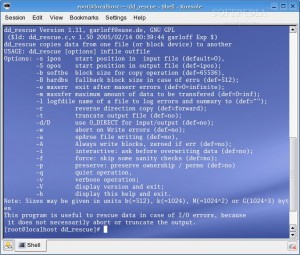
On GNU/Linux : The SD card may be presented on any device like /dev/sdx so use on the Terminal the command lsblk or sudo fdisk -lu to check. sudo apt-get install gddrescue xz-utils unxz myimage-raspberry-pi.img.xz sudo ddrescue -D –force myimage-raspberry-pi.img /dev/sdx On MacOSX : On MacOsx you’ll need a real package handler aka : …